Tracking Docker Compose updates with Prometheus and Grafana
One of the challenges of self-hosting - especially once you reach a certain number of services - is keeping track of updates.
For a long time I subscribed to each GitHub repo’s release notifications for anything I host, or added their release feed to my FreshRSS instance.
I then discovered Diun, which is a great way of getting notified of updates to Docker images you are running.
All of that solves the problem of not knowing that an update is due, but it’s still tricky to mentally keep track of which services need updates if I can’t get around to doing it straight away: I’d need to keep my own checklist somewhere, which is cumbersome.
Then, of course, there are tools like What’s Up Docker, which can give you a really pretty graphical overview of what you have running, where updates are available etc. But I didn’t want to add another tool to the mix that I’d then need to remember to update.
So I wrote my own: compose-exporter is a simple tool with minimal dependencies, all of which I already have installed on all my hosts anyway. It runs directly on each Docker host from a systemd timer and writes the metrics for node-exporter’s textfile collector, so they’re scraped along with the host’s other metrics (it can also push straight to VictoriaMetrics).
Here is what it does:
- Stack and service health: detects down stacks and services and unhealthy containers, while correctly handling stacks that were deliberately taken down and one-shot or periodic jobs.
- Image update detection:
- newer tags of the same shape (
16.4-alpine→16.5-alpine) - re-pushed floating tags (
:latest,:16), found by comparing digests
- newer tags of the same shape (
- Per-image overrides: stay on a major version, use a custom tag regex, or ignore an image.
- Cached registry lookups, so a 5-minute timer stays well within Docker Hub rate limits.
- Grafana dashboard and alert rules: a stale metrics, stack down, registry errors and update available.
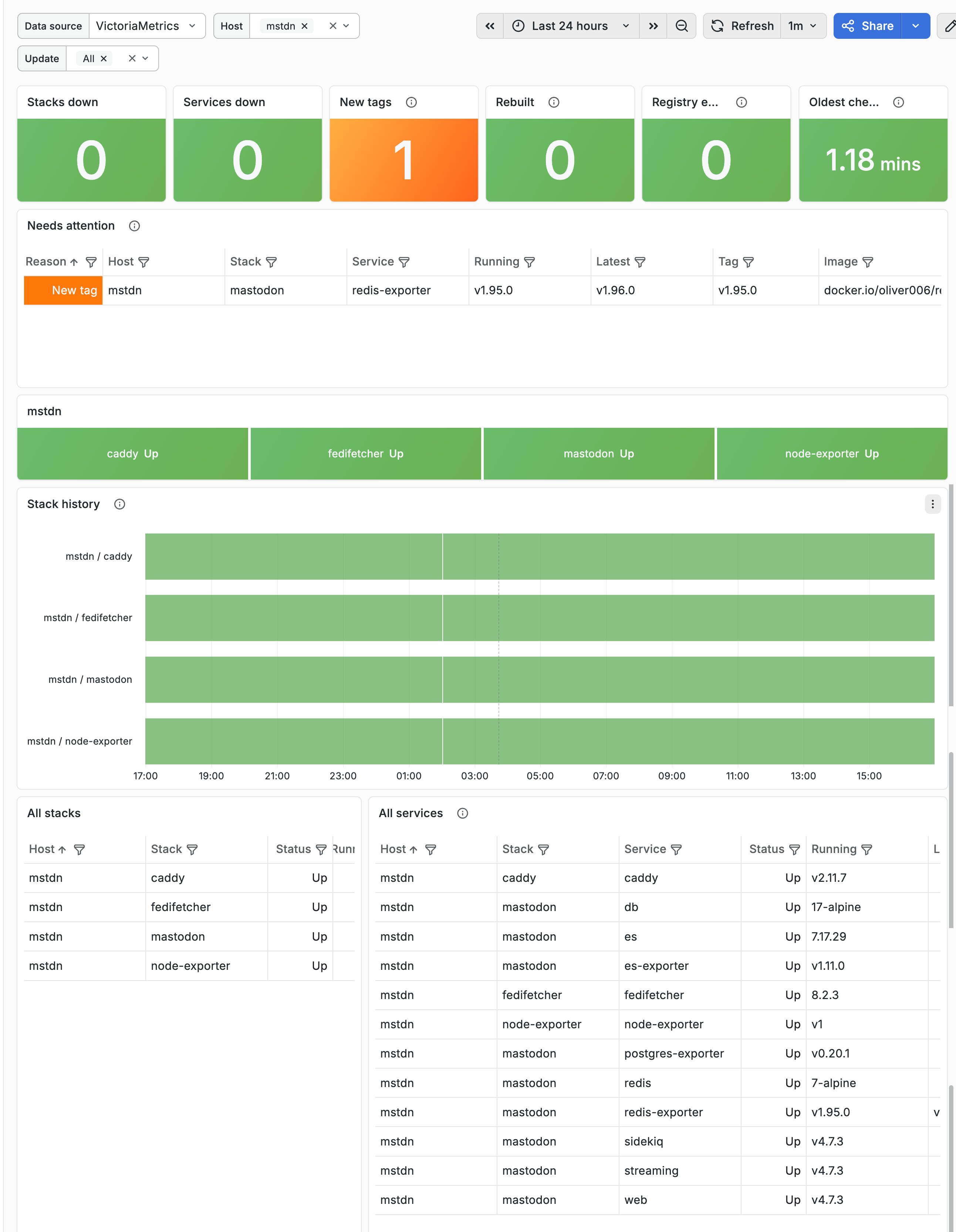
I don’t really think it’ll be useful for anyone else, but if you have very similar needs, then feel free to use it. You can find full setup instructions in the compose-exporter repo.