Setting Up BIMI for Your Email
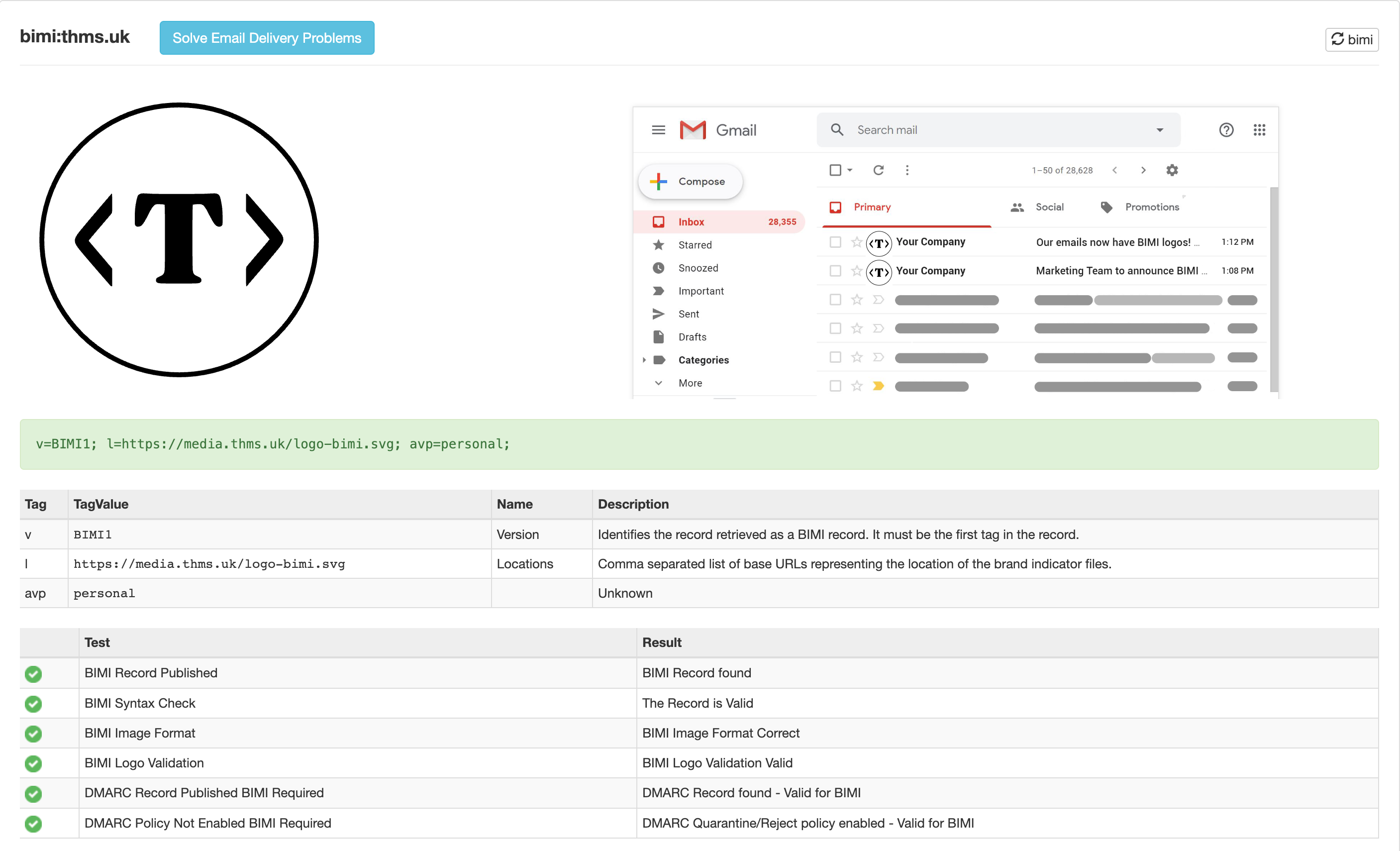
Some mail clients (e.g. Gmail, Fastmail) show sender avatars in the inbox next to the sender name. Where they don’t have a logo on file, they’ll often fall back to initials.
BIMI is a DNS-based standard that tells email clients which logo to display for your domain - a straightforward way to get your brand logo showing up in recipients’ inboxes.
Limitations
BIMI is far from a perfect solution. To do it properly you need a Verified Mark Certificate (VMC), which costs $500+ per year and isn’t easy to obtain. Support is also patchy - not all clients honour it, and many use their own fallback mechanisms regardless (Fastmail, for example, seems to prefer Gravatar, then the domain’s favicon).
Self-Asserted BIMI
You can set up BIMI without a certificate, which eliminates the cost. This is known as self-asserted BIMI, and it’s currently only supported by AOL/Yahoo - so the practical value is limited. That said, it’s a straightforward process, so here’s how to do it.
DMARC Requirements
Before you start, you need a DMARC record set to either quarantine or reject. If you have a pct value set, it must be 100. In short, you need strict DMARC alignment in place.
If you’re not familiar with DMARC, I’ve written about SPF, DKIM, and DMARC previously - you’ll need all three configured correctly before proceeding.
A minimal DMARC record looks like this:
v=DMARC1; p=reject; sp=reject; pct=100;
The Logo
The logo must be an SVG file, but not just any SVG - it needs to conform to the SVG Portable/Secure (SVG P/S) standard. This is a strict (and somewhat obscure) subset of SVG that most vector editors don’t export natively. The easiest path is to export your logo as a standard SVG, then run it through a converter. I used EasyDMARC’s BIMI logo converter.
Once converted, open the file and update the <title></title> element to your company name, then host it somewhere publicly accessible.
Setting the BIMI Record
Add a TXT record at default._bimi.<your-domain>. Here’s mine as an example:
dig default._bimi.thms.uk txt +short
"v=BIMI1; l=https://media.thms.uk/logo-bimi.svg; avp=personal;"
Breaking down the fields:
v=BIMI1- identifies this as a BIMI record.l=https://media.thms.uk/logo-bimi.svg- the URL of your hosted SVG logo.avp=personal- Avatar Preference.personalmeans the client should show the sender’s personal avatar if one exists, falling back to the BIMI logo.brandalways shows the BIMI logo and is the default if this field is omitted.a=https://example.com/certificate.pem- the location of your VMC certificate (.pemfile). Omit this if you’re going self-asserted.
Testing Your BIMI Record
MXToolbox has a dedicated BIMI checker at https://mxtoolbox.com/bimi.aspx. Enter your domain and you’ll get results immediately.