Configuring a Custom Block Page for Pi-hole
I recently installed Pi-hole on my home network. I share my home with a few people, not all of whom are particularly tech-savvy. So I wanted a block page to appear whenever a domain is blocked, helping users understand what’s happening and what to do if they want a domain unblocked.
Pi-hole used to support a custom block page, but the feature was removed a few years ago because widespread HTTPS adoption made it less useful. They’re not wrong: a custom block page served by Pi-hole will trigger a certificate warning before users see the page.
I accept this limitation - but, as a Brit, I’ll counter that “every little helps,” and it’s still better than nothing. Enabling a custom block page is actually quite straightforward, and I wanted to write down the steps here for my own notes.
Create the Block Page HTML
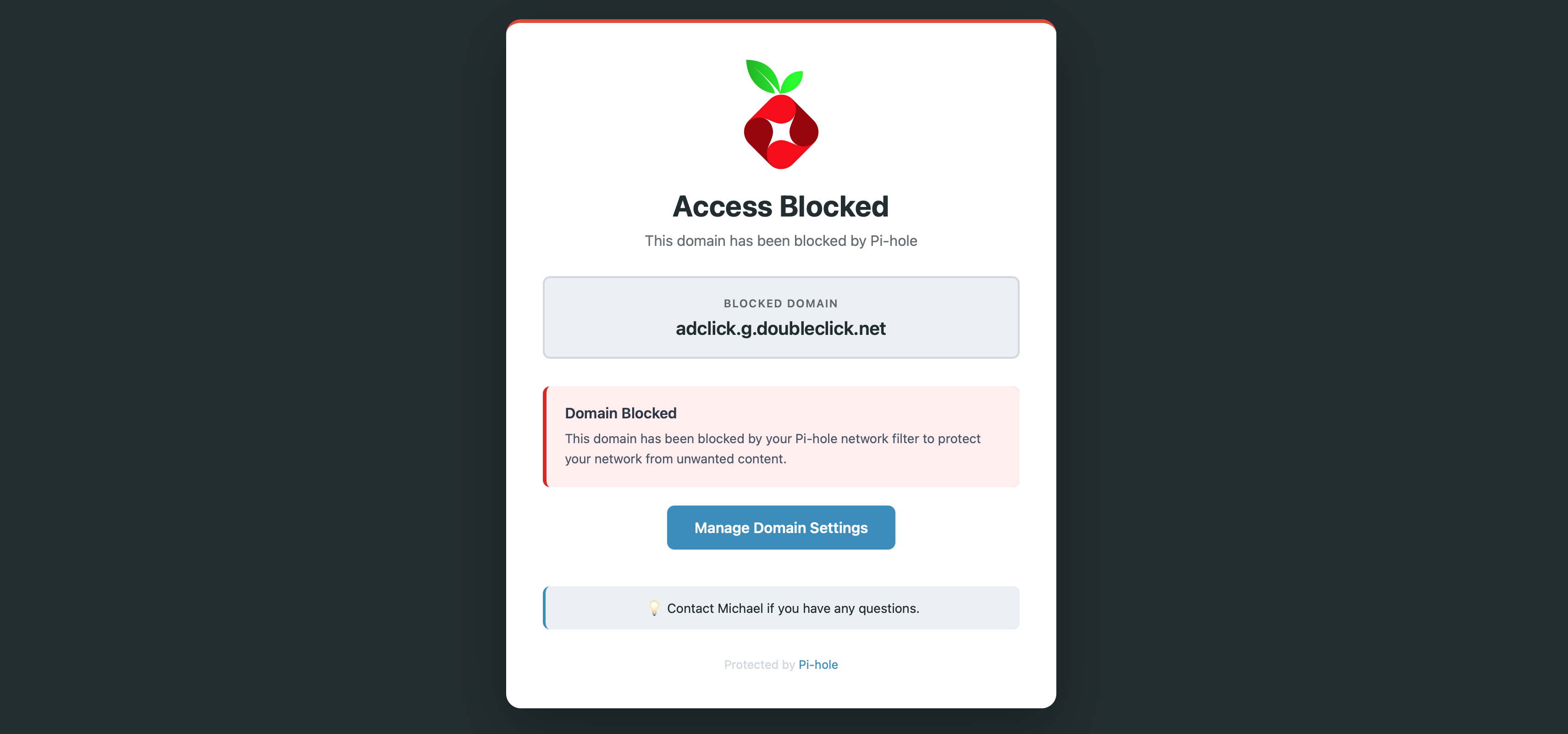
I cheated a little and asked Claude AI to generate the HTML for me. You can view the source at gist.thms.uk/michael/pi-hole-block-page.
It’s straightforward, and you can adjust it as needed - for example, you probably don’t want your users to “Contact Michael” if they have questions.
Here’s what it looks like. It’s loosely based on Pi-hole’s default theme and colours:
You will need to place two copies of this file on your server:
- One copy needs to go to
/var/www/html/index.html. This file will be served if a user visits the root domain. - One copy needs to go to
/var/www/html/error404.html. This file will be served if a user visits any other URL on the blocked domain.
Make sure both files are readable by the pihole user.
Enable the Custom Block Page
In order to enable the block page you need to change the DNS blockign mode:
- SSH into your server and open
/etc/pihole/pihole.toml. - Search for
[dns.blocking]and find themodesetting. Change it to:mode = "IP" - Search for
[webserver]and find theadvancedOptssettings. Change it toadvancedOpts = [ "error_pages=/var/www/html/" ](if you already have any values in there, make sure you don’t remove them, but rather append to the array of options.) - Restart Pi-hole:
sudo service pihole-FTL restart
And that’s it. You may want to visit a blocked domain (such as http://adclick.g.doubleclick.net) to confirm that it’s working.