How to generate Mastodon’s Annual Reports / ‘Wrapstodon’
Please note that this post is from 2024. In 2025 Mastodon reworked the Wrapstodon feature, and it now works differently, at least if you are on nightly (the full release of this feature is apparently planned for 4.6 in 2026). See renchap’s post and the related issue for details. In the mean-time, here is the current state as of December 2025:
- If you are running Mastodon on the latest nightly version, you need to enable the feature flag (add
EXPERIMENTAL_FEATURES=wrapstodonto your.env.productionfile). You shouldn’t need to do anything else, as everything else is self-service by your server’s users. Please don’t follow the steps in this guide!- If you are running 4.4.0 - 4.5.3 you should be good to use the steps below - I have personally tested them on 4.4.0 in 2024, and then again on 4.5.2 in 2025. If you are on any other version - not a clue 🤷♂️
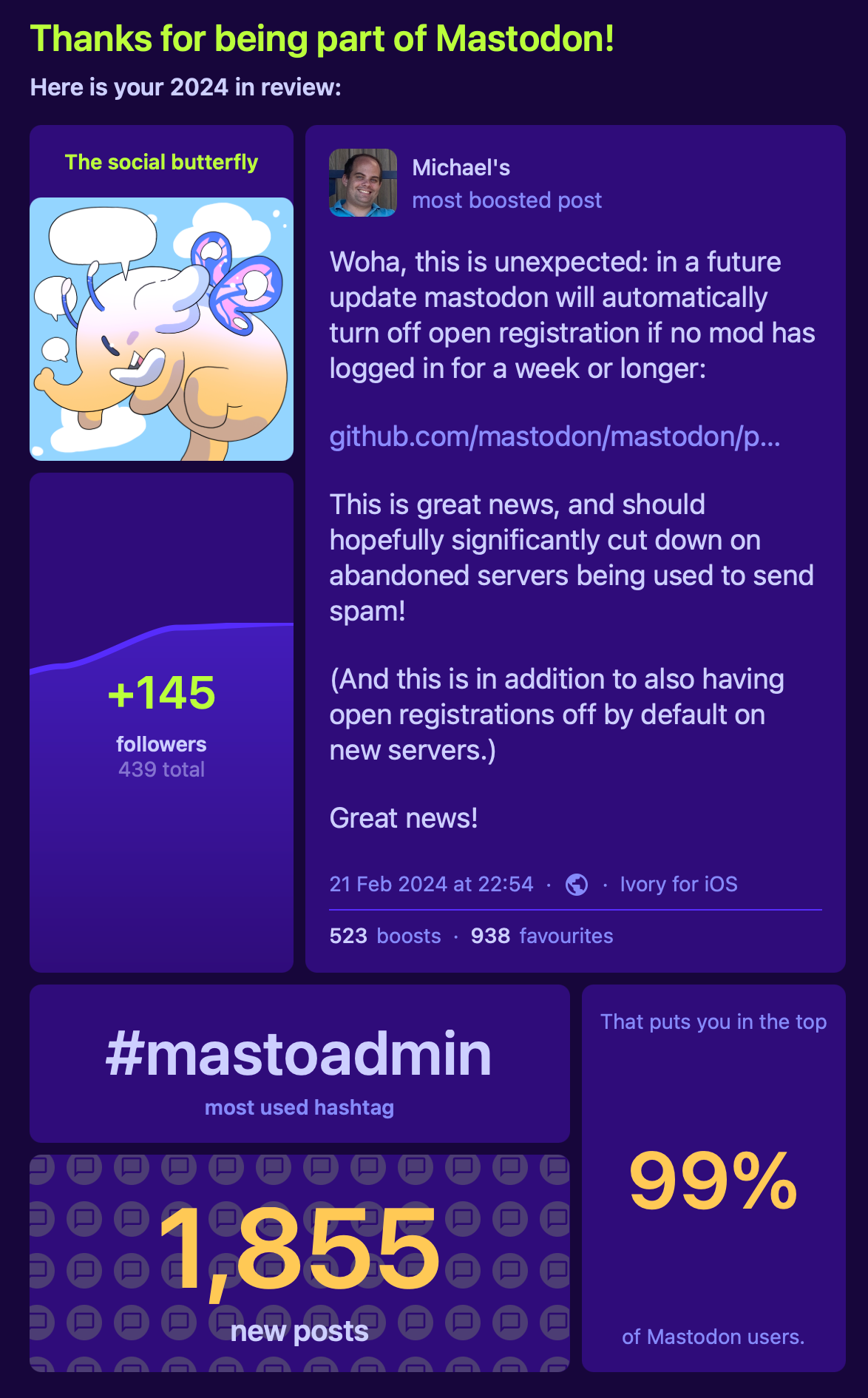
Somewhat recently, Mastodon has enabled a new feature on their mastodon.social instance, that they call ‘Wrapstodon’. It’s an annual review of your Mastodon activity. It’s very basic, showing your your most popular post, your most used hashtag, and a few other metrics.
I wanted to run this on my own instance just for fun, but this is very much an opt in feature: Sensibly it doesn’t run automatically (because it’s very basic, and because it has significant performance implications on larger servers), but they also haven’t provided any documentation on how to actually run it.
So here is what I’ve learned, with big thanks to @[email protected].
Generating Mastodon’s Annual Report
In order to generate this Year in Review you first need to ensure that your instance is running the 4.4.0 alpha or nightly version.
Then SSH into your server, and cd into the mastodon directory.
Open the rails console:
RAILS_ENV=production bundle exec rails console
Paste in the following command, and press Enter:
AnnualReport.prepare(2024) # replace with whichever year you want to run the report for

User.joins(account: :account_stat)
    .confirmed
    .merge(Account.without_suspended)
    .includes(:account)
    .where(current_sign_in_at: (Date.new(2024, 1, 1)..)) # replace year here, too, if you want to run it for a different year
    .where(account_stats: { followers_count: (1..) }).find_each do |user|
  annual_report = AnnualReport.new(user.account, 2024).generate # replace year here, too, if you want to run it for a different year

  next if annual_report.nil? || annual_report.data['top_statuses'].values.all?(&:nil?) || annual_report.data['top_hashtags'].empty?

  NotifyService.new.call(user.account, :annual_report, annual_report)
end
This wil take a while. When you are done, you should see a notification in your web interface (none of the other apps support this, at this time, as far as I can tell):

Click on the weirdly looking green button that doesn’t look like a button and you’ll see your Year in Review:
Final thoughts
I think this is a weird feature: The UI doesn’t fit with the colour scheme or styling of the rest of the web UI. The meaning of the user type (the first tile at the top right, in my case ‘The social butterfly’) is totally opaque and cannot be guessed (apparently ‘social butterfly’ means I reply more than I post). And the ’this puts you in the top 99% of Mastodon users’ is just nonsense (it puts me in the top 99% of my instance’s users, because there is only me 🤷♂️). Finally, it has no shareable URL meaning I need to share it as a screenshot which is silly. But hey, it’s fun to experiment with it …